
PUBLIC SECTOR / APPLICATION DESIGN & DEVELOPMENT
Every deposit.
A clearer record.
The Surety Deposit Module for District & Sessions Courts, Karachi Central. A dedicated workspace for surety entry, receipt lookup, record search, reporting and user administration.
PROJECTSurety Deposit Module
CLIENTDistrict & Sessions Courts, Karachi Central
OUR ROLEDesign & development
THE WORKSPACE
Case context.
Surety details.
One interface.
A surety record brings together several kinds of information. The case, court, receipt and people involved all need a place in the workflow.
This application organises those details into dedicated entry, search and administration screens, with reporting actions available alongside the records.
SEE THE FLOW
Four views of a connected workflow.
An animated walkthrough of the supplied application screens. Pause or select any module to explore. This is a portfolio presentation, not a live connection to the court system.
01 / 04
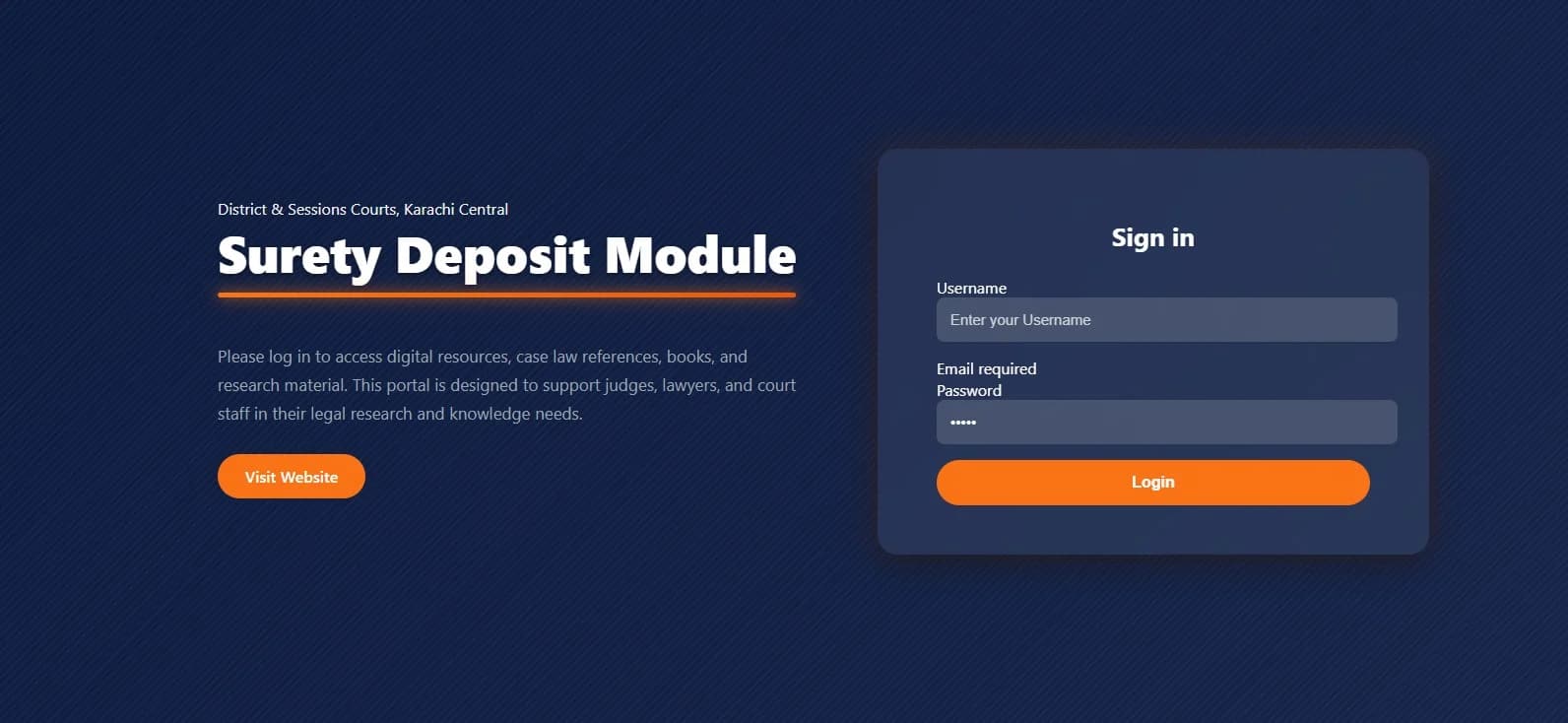
A focused entrance to the workspace.
A dedicated sign in screen introduces the Surety Deposit Module for District & Sessions Courts, Karachi Central.
01
Sign in
A focused entrance to the workspace.
A dedicated sign in screen introduces the Surety Deposit Module for District & Sessions Courts, Karachi Central.
The application keeps its institutional identity visible while giving staff a straightforward route into the workspace.
View full screen ↗ (opens a new tab)02
Data entry
Keep the deposit connected to the case.
The entry form brings case, court, FIR and police station details together with accused and surety person fields. Surety type and a dedicated details area provide context for the record.
Receipt lookup, return details and the Nazarat serial number support the record workflow from the same interface.
View full screen ↗ (opens a new tab)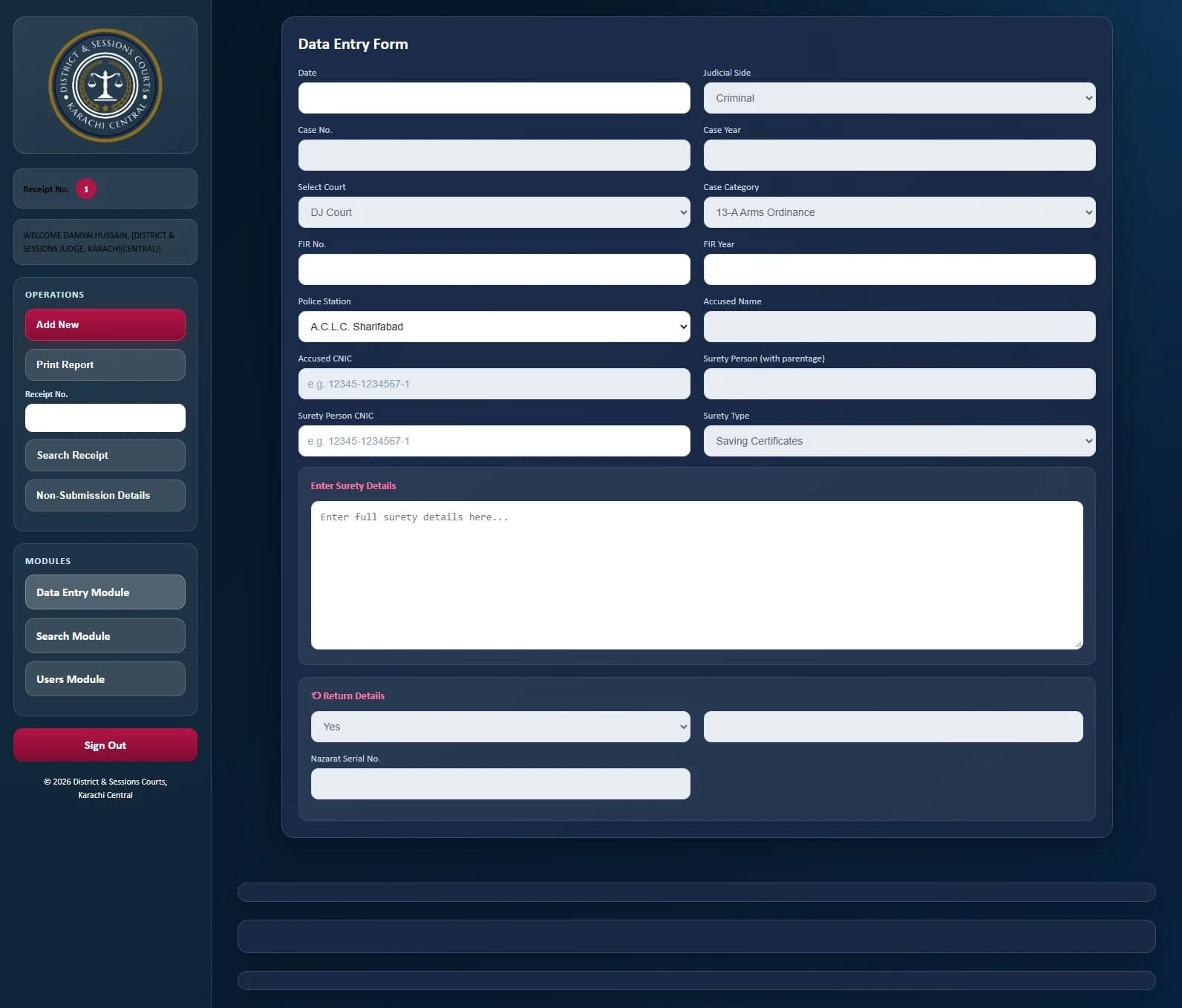
03
Search & reports
More than one way to find a record.
Search by receipt, case, FIR, court or person details. The search module also provides summary and detail views for non submitted sureties.
Date range controls and separate detail and summary report actions make the available reporting routes clear.
View full screen ↗ (opens a new tab)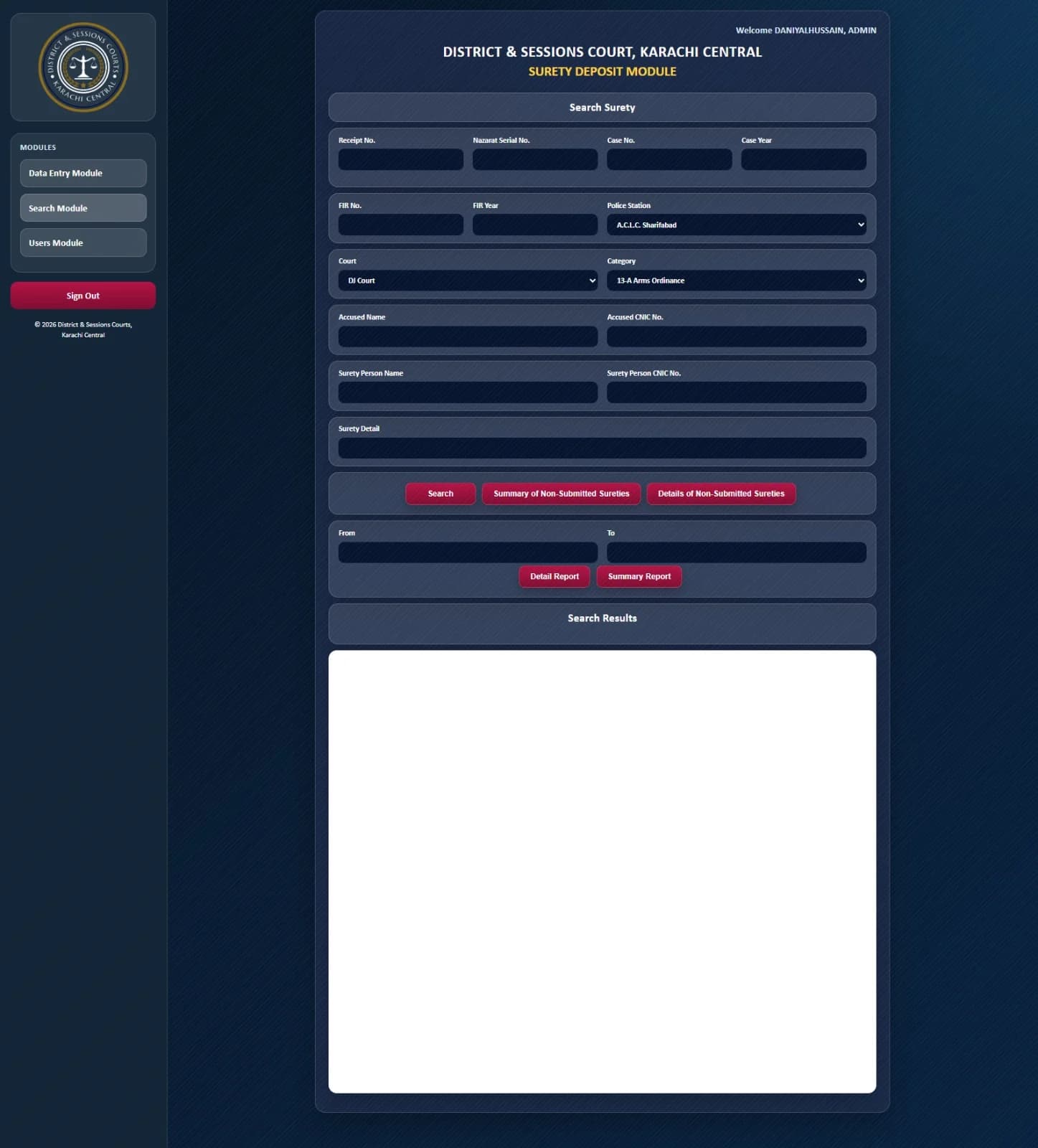
04
User administration
Organise accounts around the court.
The users module groups account creation and editing with court assignment and role selection. A separate transfer area supports moving a user to another court.
The interface also provides access to a user list. This portfolio presentation is not connected to operational accounts or court records.
View full screen ↗ (opens a new tab)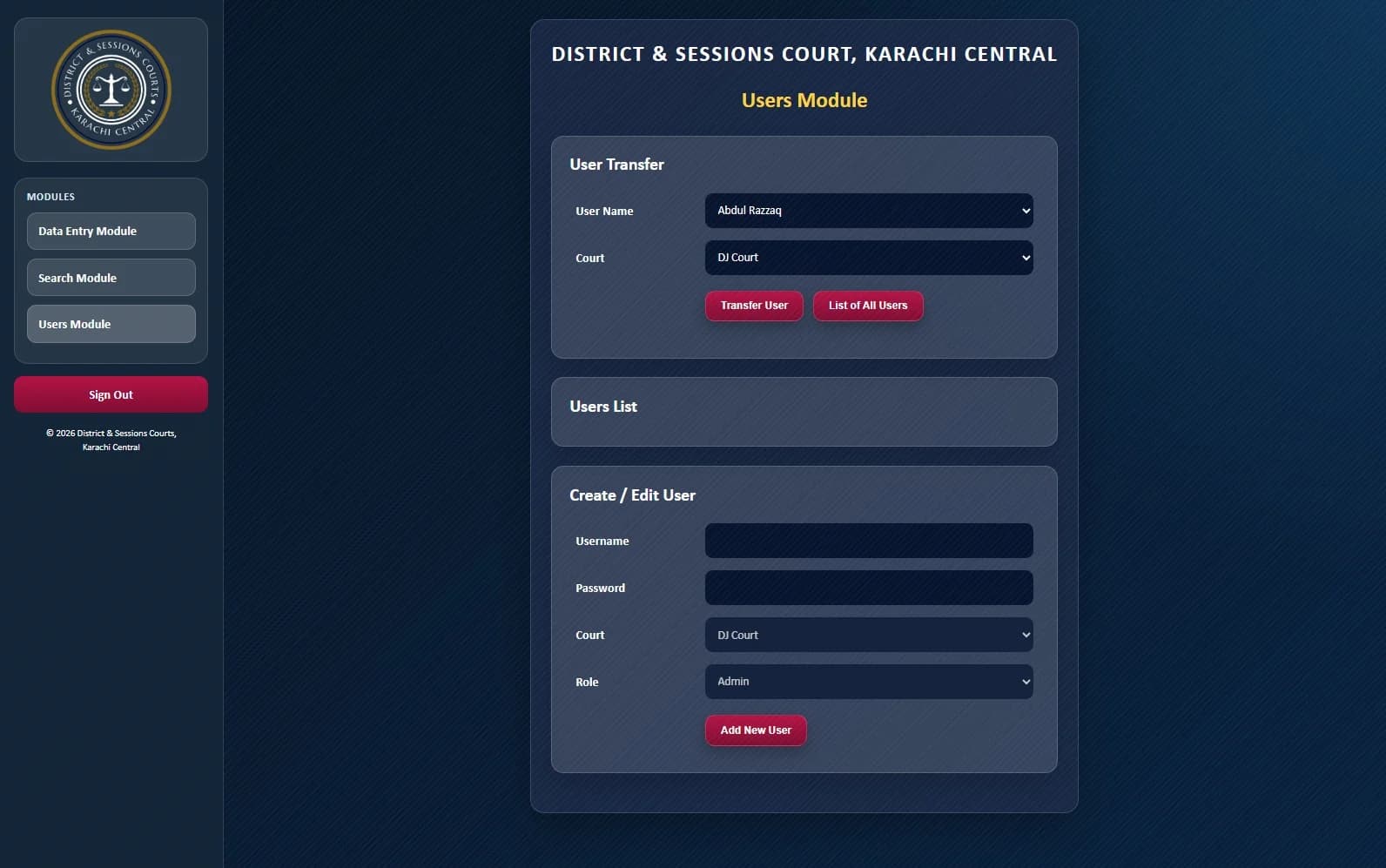
SOFTWARE AROUND YOUR WORK
Give your process
a dedicated workspace.
Let’s discuss the records, people and workflows your application needs to support.
Discuss your software project ↗Back to selected work